
Load TPC-H and TPC-DS tables into CROWDB Iceberg
Check 32 imported tables, then read TPC-H and TPC-DS data with DuckDB.
In this article · reading settings
The CROWDB Iceberg latest container serves a catalog, the files behind its tables, and a local web Console. This guide loads TPC-H and TPC-DS datasets at scale factor 1 (SF1), checks the import reports, and reads a table with DuckDB.
Use disposable data on a Linux amd64 host with Docker, Python 3.10–3.12, the DuckDB CLI, and a free local port 9092. The loader may download a TPC-H generator on its first run; DuckDB may download extensions.
1. Start CROWDB Iceberg
docker run -d --name crowdb-iceberg \
  -p 127.0.0.1:9090:9090 \
  -p 127.0.0.1:9092:9092 \
  crowdb/crowdb-iceberg:latest
Open http://127.0.0.1:9090/ in a browser and select Iceberg. Leave the Console open while the loader runs; it will show the imported namespaces, tables, snapshots, and Parquet files. Save the generated credentials in a private file and load them into your shell:
umask 077
docker exec crowdb-iceberg crowdb-monitor credentials show --format env > ./crowdb-iceberg.env
set -a
. ./crowdb-iceberg.env
set +a
The loader and DuckDB use ICEBERG_URI and ICEBERG_TOKEN from this container. Keep the file private.
2. Load the data
python3 -m venv .venv
. .venv/bin/activate
python -m pip install crowdb-tpc-loader
crowdb-tpc-loader load --benchmark tpch --sf 1 \
  --namespace tpch_demo --report-file ./tpch-demo.json
crowdb-tpc-loader load --benchmark tpcds --sf 1 \
  --namespace tpcds_demo --upload-workers 4 --report-file ./tpcds-demo.json
The crowdb-tpc-loader loads each dataset into its own namespace. At SF1, TPC-H creates eight tables and TPC-DS creates 24 tables. Check the completed table counts, generated row totals, and status in your own reports:
python - <<'PY'
import json

for name in ("tpch", "tpcds"):
    with open(f"{name}-demo.json", encoding="utf-8") as file:
        report = json.load(file)
    summary = report["summary"]
    print(f"{name}: {len(summary['succeeded'])} tables, {summary['generated_rows']:,} rows; status={report['status']}")
    if name == "tpcds":
        print(f"date_dim: {report['tables']['date_dim']['row_count']:,} rows")
PY
Check that the reports show eight successful TPC-H tables and 24 successful TPC-DS tables, both with status=succeeded. The script also prints the generated row totals and the date_dim row count to compare with the DuckDB query below.
If an import fails, keep its JSON report and follow the loader recovery guide before retrying. A new namespace avoids colliding with tables from an earlier run.
Inspect the table files
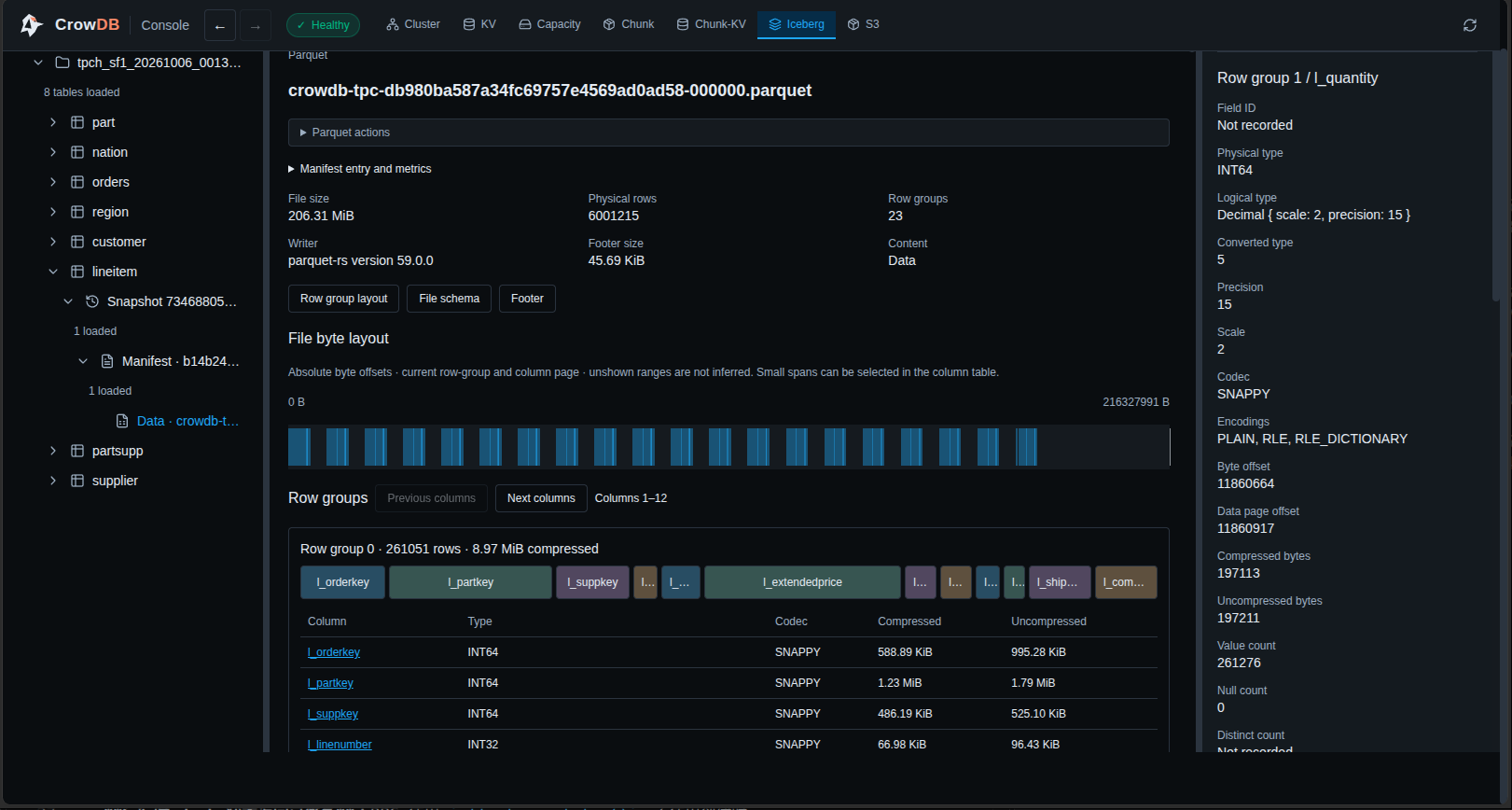
The development container’s Iceberg tab shows the table tree, snapshot, manifest, and the selected Parquet file. The screenshot below is stopped on the Parquet file page so its row groups, byte layout, and column metadata are visible; the Healthy indicator remains visible in the Console header.
3. Query a table with DuckDB
The empty warehouse selector in ATTACH '' is required for this CROWDB profile. Run the DuckDB CLI in the same shell where you loaded the credentials:
duckdb <<SQL
INSTALL iceberg;
LOAD iceberg;
INSTALL httpfs;
LOAD httpfs;
CREATE SECRET crowdb_catalog (TYPE ICEBERG, TOKEN '$ICEBERG_TOKEN');
ATTACH '' AS crowdb (TYPE ICEBERG, SECRET crowdb_catalog, ENDPOINT '$ICEBERG_URI');
SELECT r_regionkey, r_name FROM crowdb.tpch_demo.region WHERE r_regionkey = 1;
SELECT count(*) AS date_dim_rows FROM crowdb.tpcds_demo.date_dim;
SQL
For the TPC-H data above, the first query returns (1, AMERICA). The second count should match date_dim in your TPC-DS report. Both reads go through CROWDB’s Iceberg catalog and file service.
The recorded SF1 development checks for loader 0.1.1 committed all 32 tables against a fresh local single-node image. Verification covered remote MD5 comparison, full-row Parquet decoding, Iceberg sample scans, and DuckDB row-count queries for every table. These checks validate the import and read path; they are not timed TPC benchmark results. The latest image may change, so keep its digest when recording new results.
When finished, remove the disposable container and credentials file:
docker stop --time 120 crowdb-iceberg
docker rm crowdb-iceberg
rm -f ./crowdb-iceberg.env